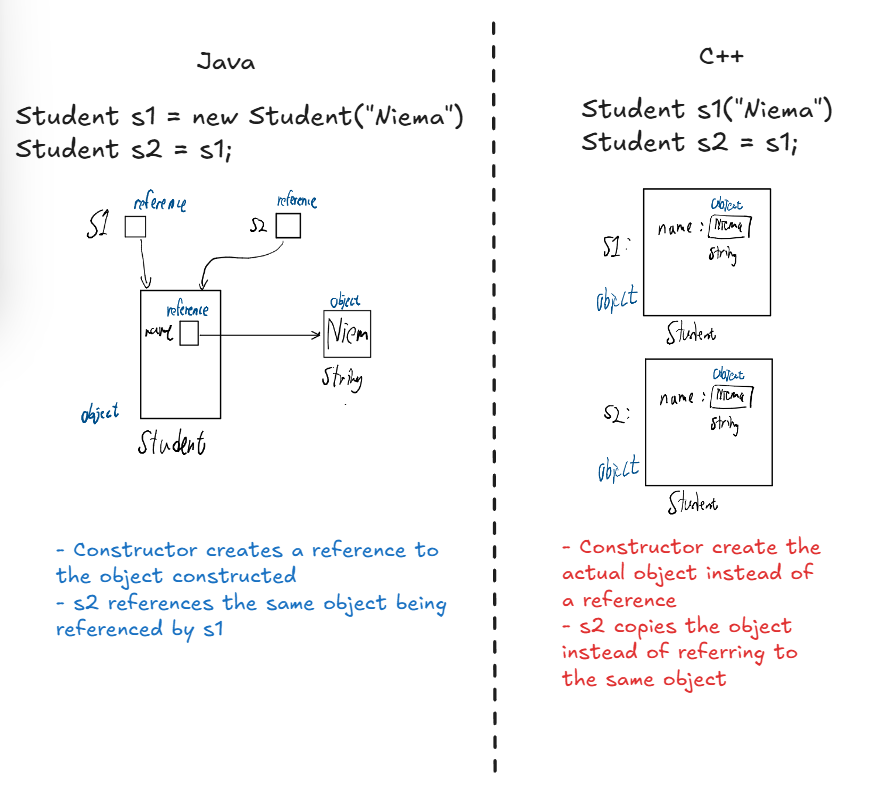
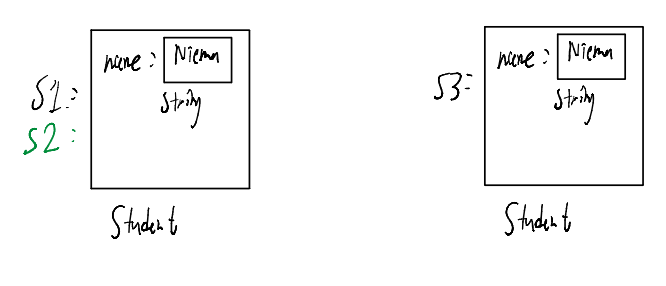
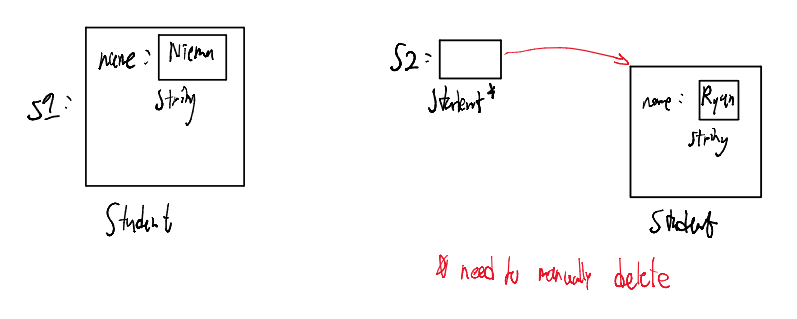
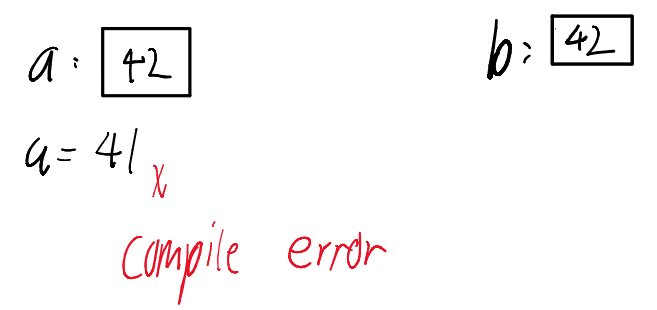
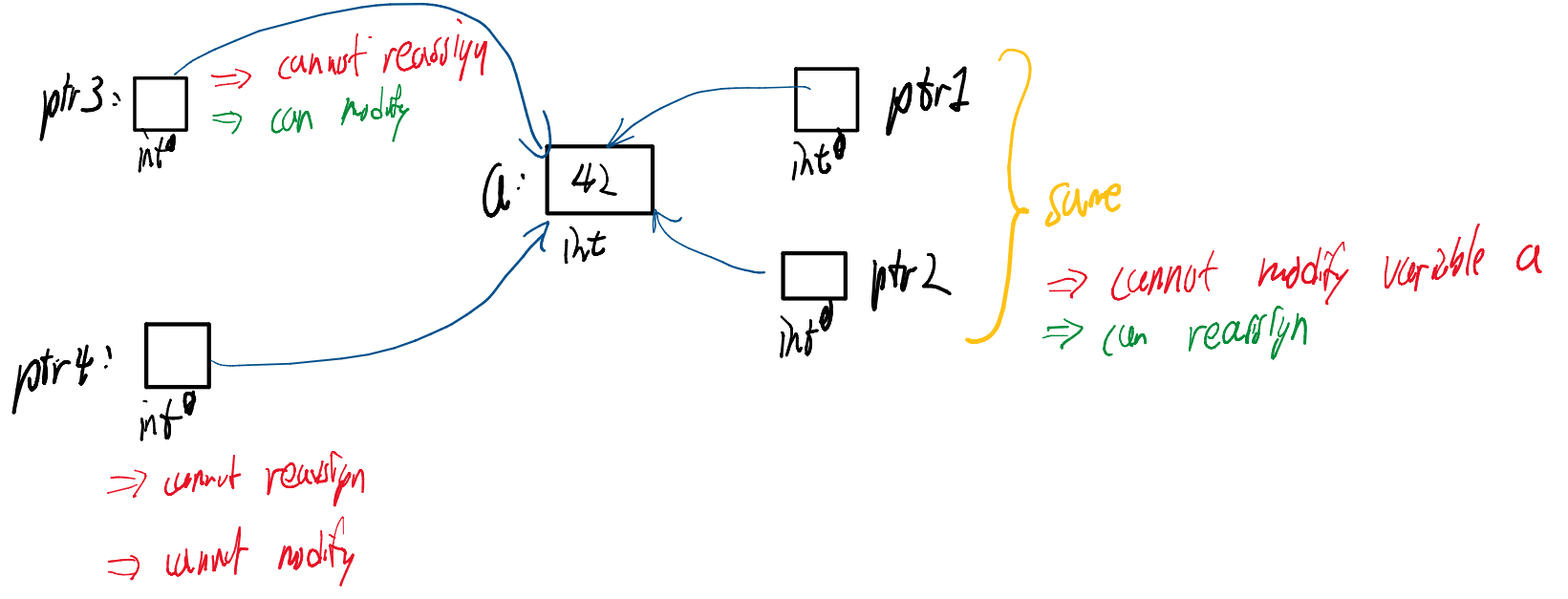
A Pointer is a variable that stores a memory address.
Syntax: Type * ptr = &variable; (use & to get the address).
Dereferencing: Use *ptr to access the data at that address.
Arrow Operator: Use ptr->func() to call methods on the object pointed to.
Pointer to Pointer: You can have int ** p, which is a pointer to a pointer.
Example
Student lloyd(“Lloyd”); // initialize Student object
Student* harry = new Student(“Harry”); // initialize Student pointer
Student* ptr1 = &lloyd; // initialize ptr1 to store the address of ‘lloyd’
Student* ptr2 = harry; // initialize Student pointer pointing to same object as ‘harry’
cout << (*ptr1).getName(); // prints “Lloyd”
cout << ptr2→getName(); // prints “Harry”
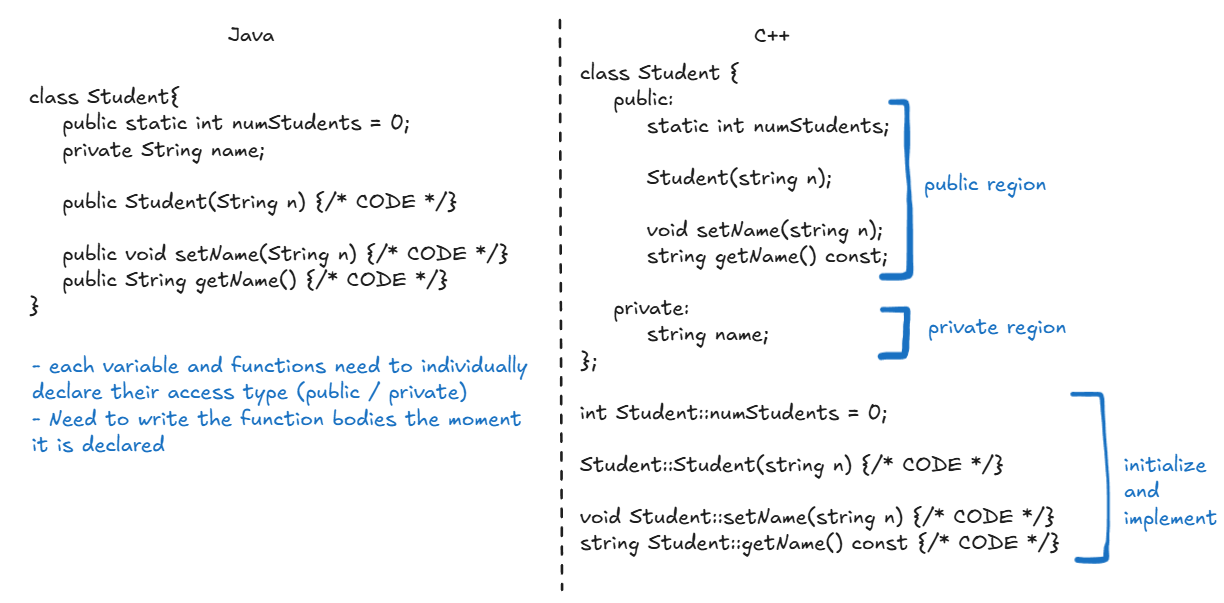
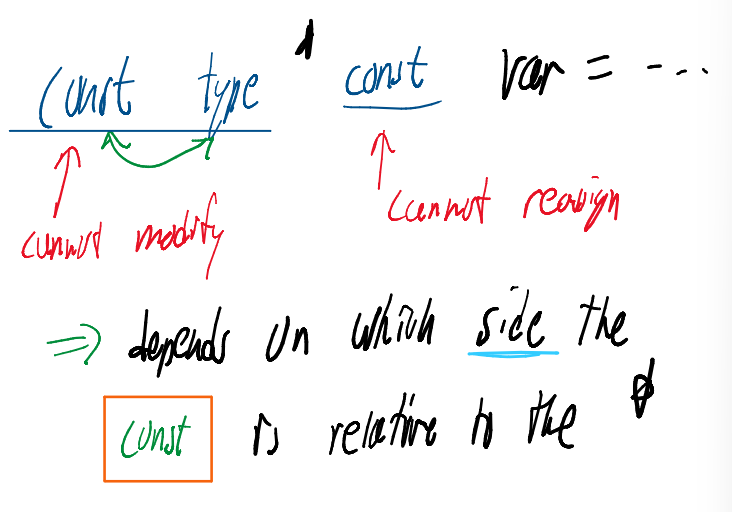
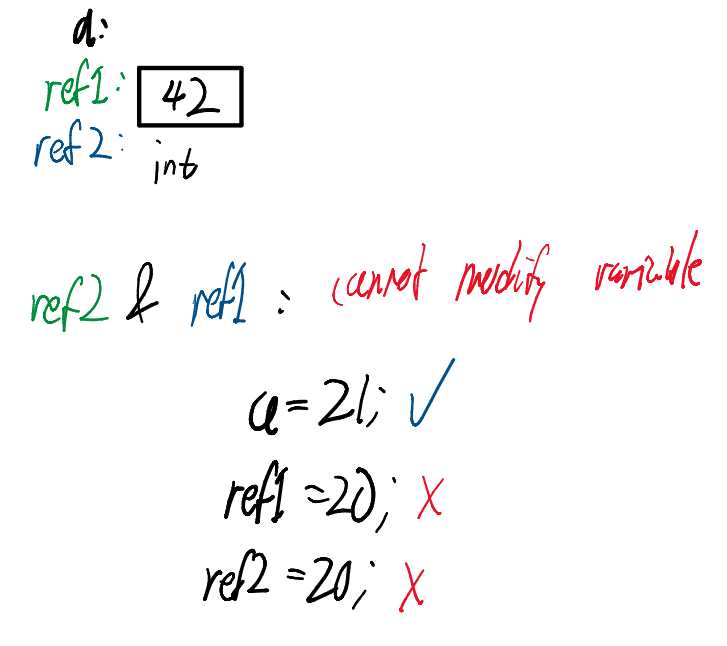
Notice the line string getName() const; in the class declaration. This constant indicates that the function cannot modify my object
cannot assign instance variable
can only call other const functions
6. Functions
Global Functions
C++ allows functions like main() to exist outside of any class.
Return Value: main() returns an int that implies the exit status
0 implies success
Not 0 implies failed
Parameter Passing
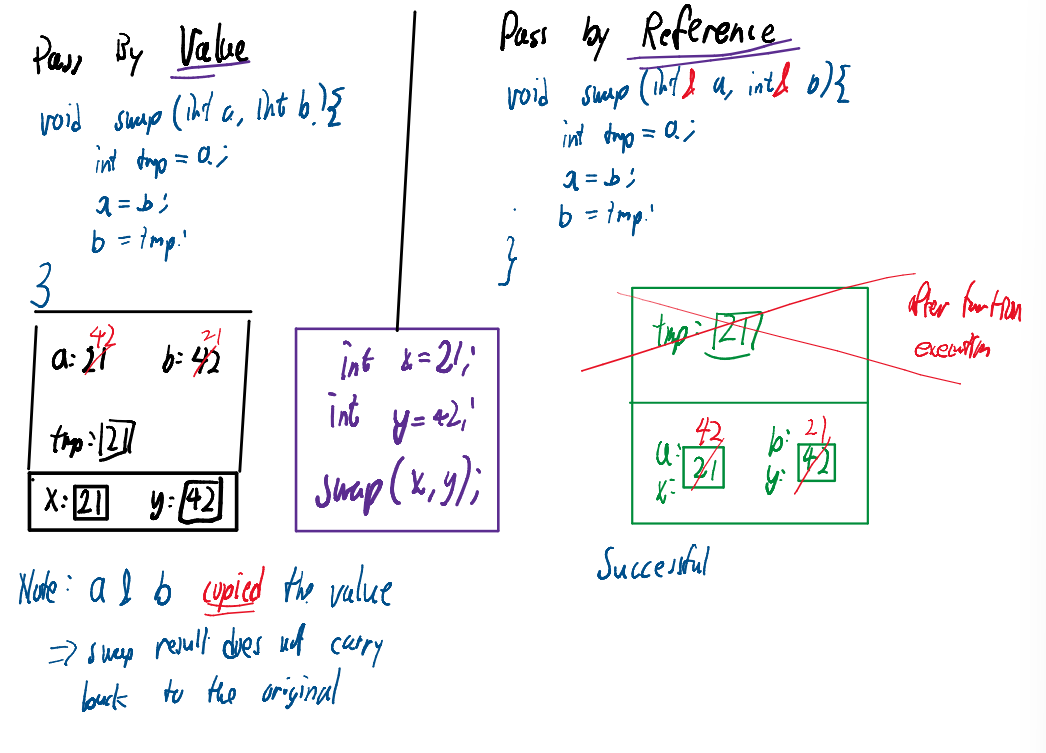
Call by Value (Default): The function receives a copy. Safe, but slow for large objects.
Call by Reference (&): The function acts on the original. Fast, allows modification.
Call by Const Reference (const &): The function acts on the original but cannot modify it.
Best Practice: Use const & for large objects (like a genome string) to save memory without risking accidental changes.
7. C++ Vectors
The vector is C++‘s version of ArrayList.
Syntax: vector<Type> name;
Access: Uses array-style indexing v[0].
Safety Warning: Unlike Java, C++ does not check bounds. Accessing v[100] in a size-10 vector will not throw an exception; it will access garbage memory and potentially crash.
Storage: Elements are contiguous in memory. Assignment (v1 = v2) copies the entire vector.
vector<int> a;a.push_back(42); // Add to endfirstElement = a[0]; // Accessing elementa.pop_back(); // Remove from end (void return type)vector<int> b = a; // Create new vector b and copy all elements in a
8. Input / Output (I/O)
C++ uses “Streams” for I/O.
cout: Standard Output (console). Uses the insertion operator <<.
cin: Standard Input (keyboard). Uses the extraction operator >>.
cerr: Standard Error.
int age;cout << "Enter age: ";cin >> age; // Reads integer from user
9. C++ Templates
Templates implement Generic Programming, allowing classes and functions to operate on any data type.
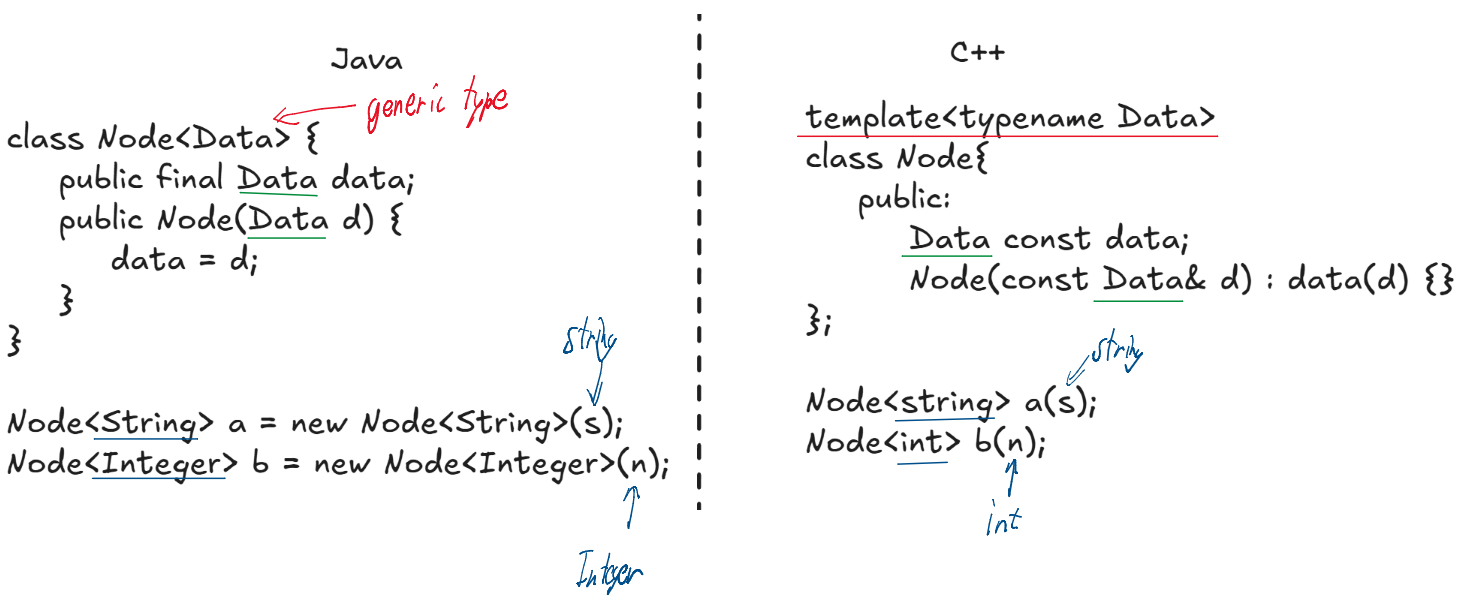
Implementation Comparison
Java (Generics): Uses Type Erasure. The type is mostly a compiler-side check and is removed at runtime.
C++ (Templates): Uses Instantiation. The compiler uses the template as a blueprint to generate a specific class for every type used.
Key Differences
Performance: C++ generates specialized machine code for each type, making it faster than Java’s shared-code approach.
Primitives: Templates natively support int and double, whereas Java requires wrapper classes (e.g., Integer).
Resolution: Templates are resolved at compile-time. If a type doesn’t support an operation used in the template, the code will not compile.